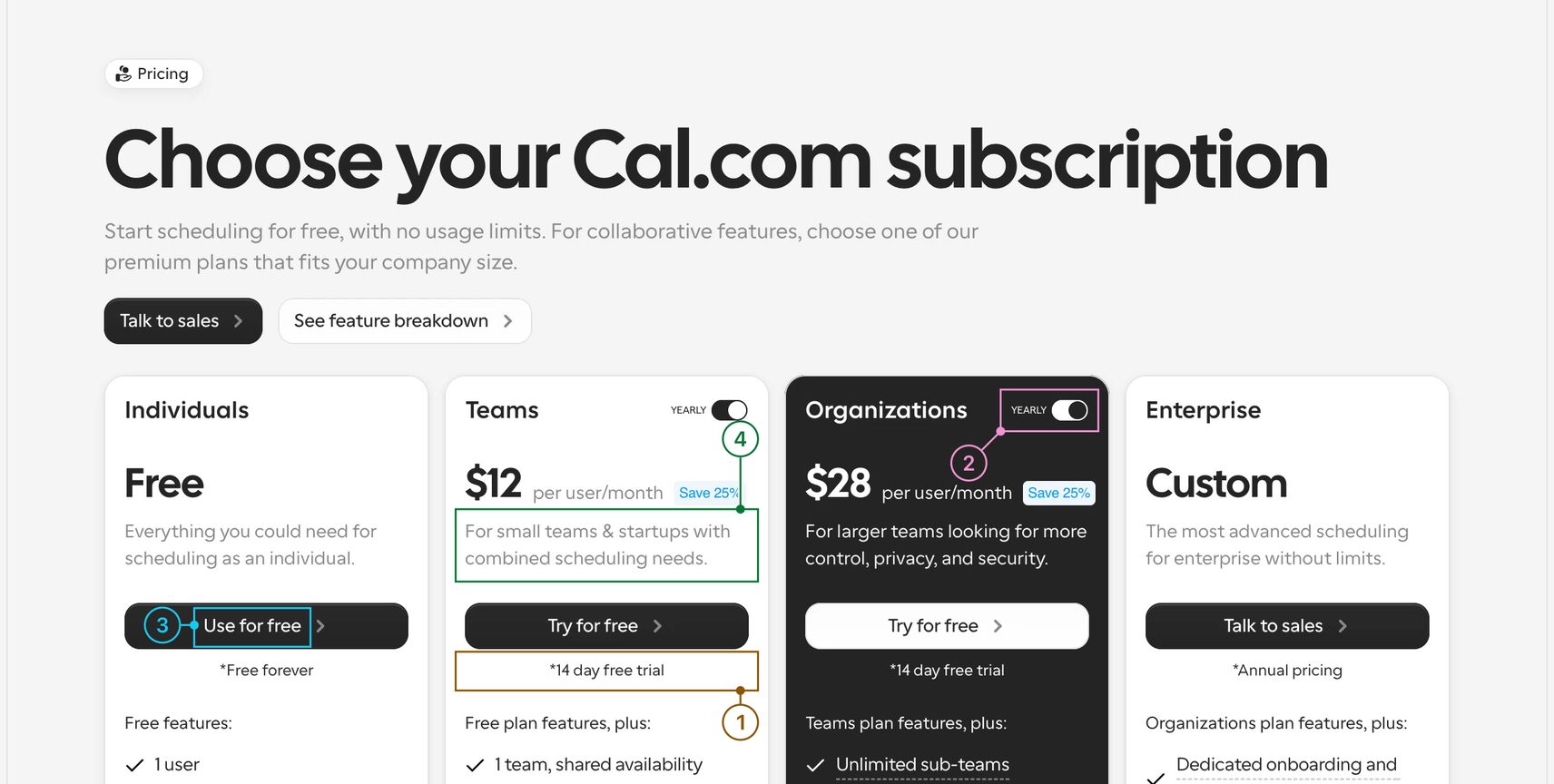
FigJam board
Your team can open the board the same day. Each page you stopped on becomes a frame, with every note marked where you pointed.
Go through a competitor's site or your own design and say what you see. Callouts hands back a FigJam board and a Word document with every note on a screenshot of what you meant.
macOS 13 or later
Weakness00:02.4
The 14-day trial is only in the small print under Try for Free.
Question00:07.0
Why does the yearly toggle sit inside two cards and not once for the whole page?
Opportunity00:12.4
Use for free and try for free differ by one word, and they are the same dark button.
Strength00:17.8
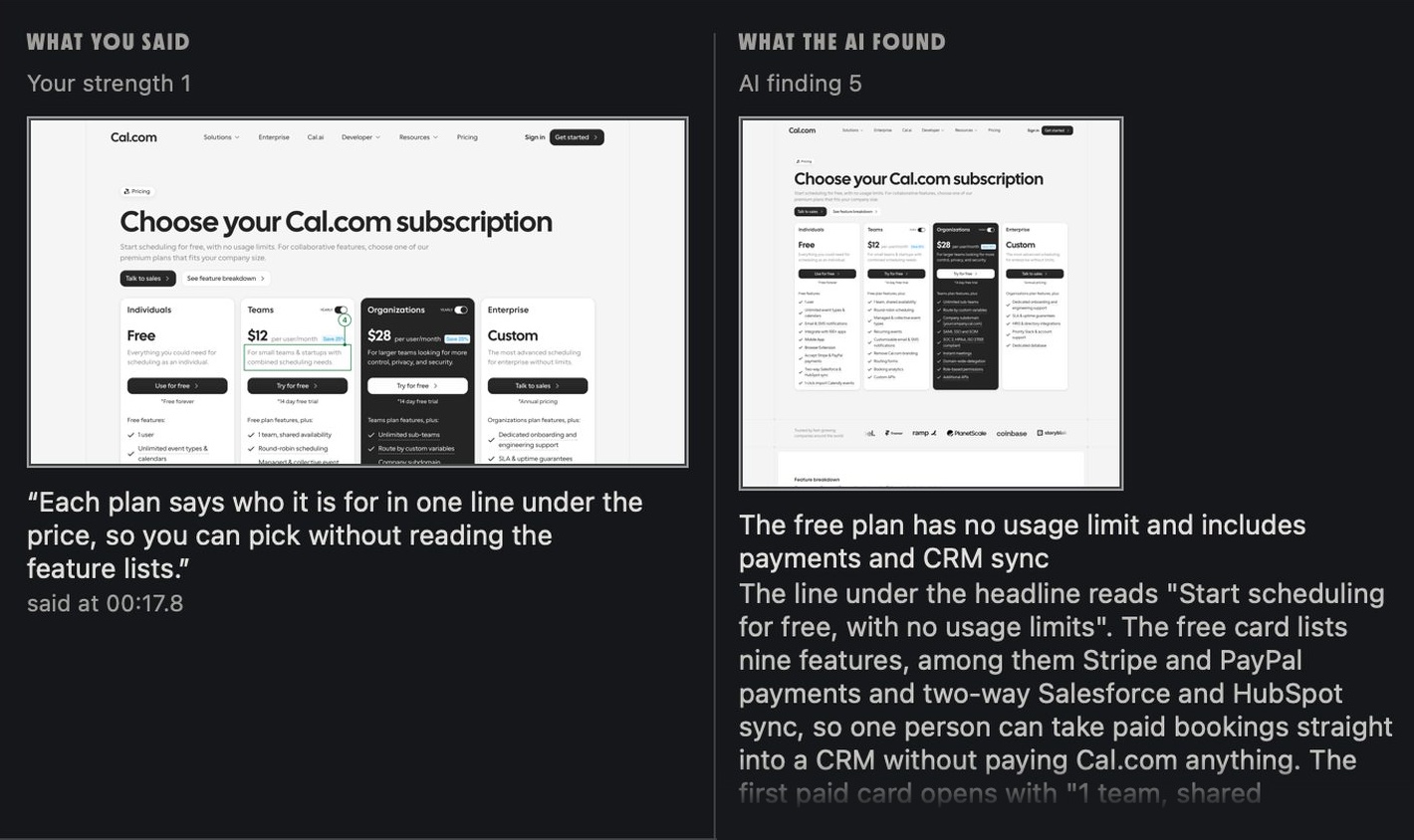
Each plan says who it is for in one line under the price, so you can pick without reading the feature lists.
Point at what bothers you and say why. Callouts outlines whatever sat under your cursor and writes your sentence beside it.
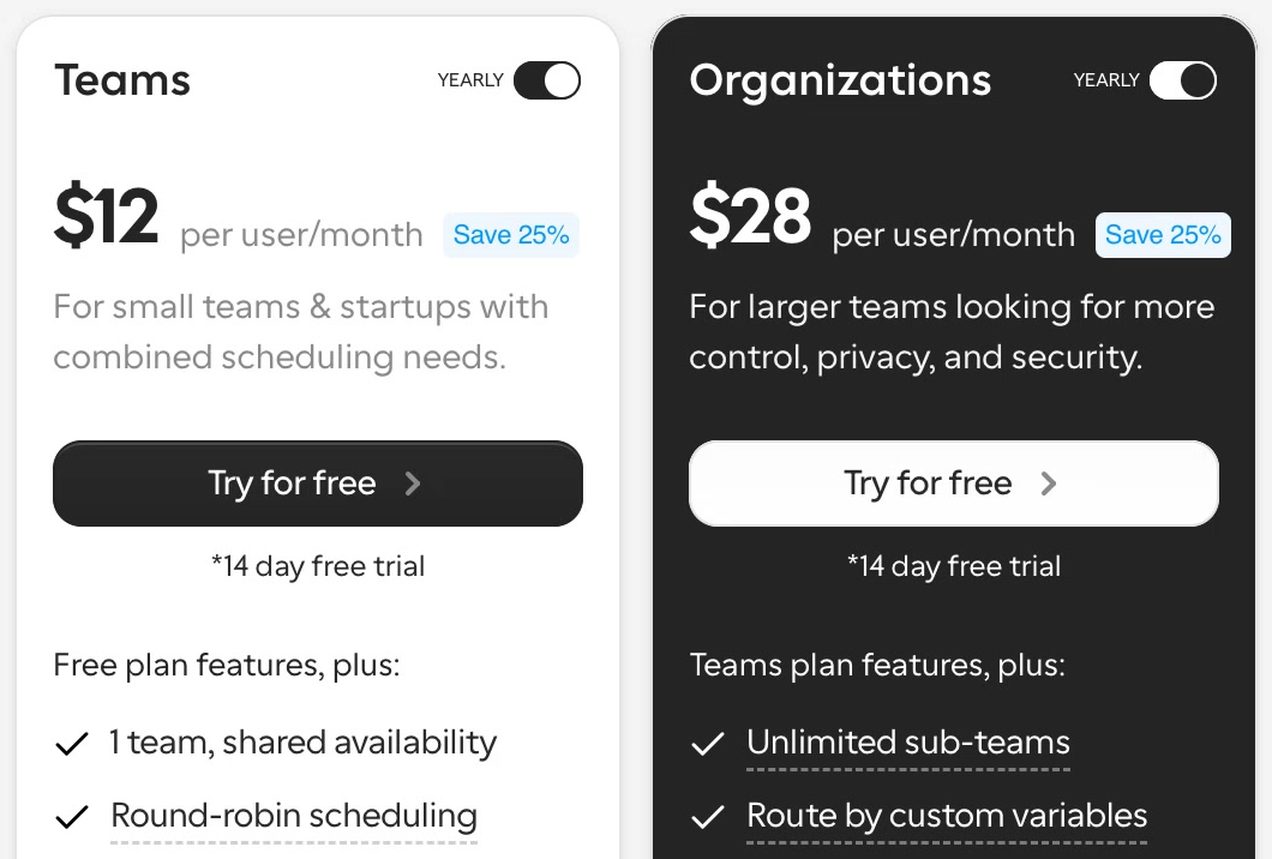
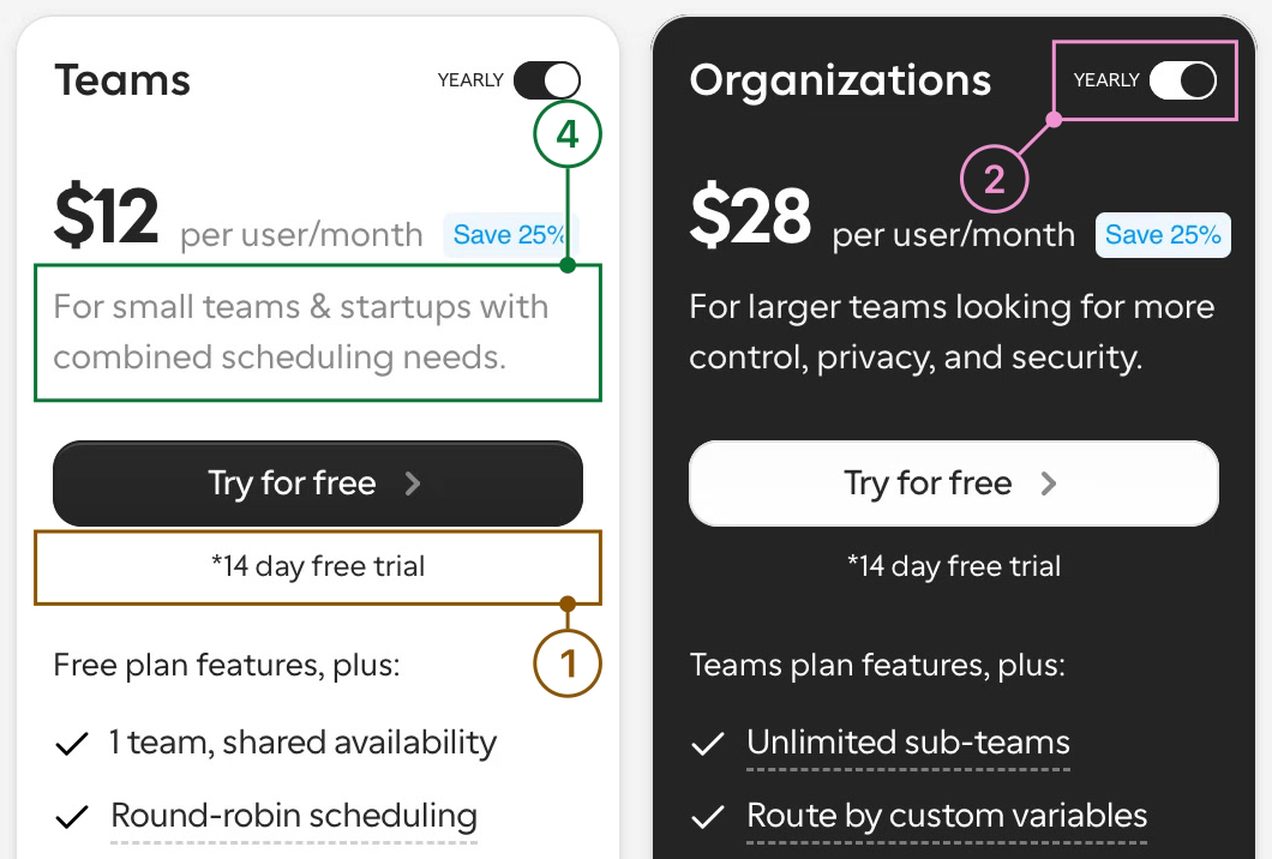
Your team can open the board the same day. Each page you stopped on becomes a frame, with every note marked where you pointed.
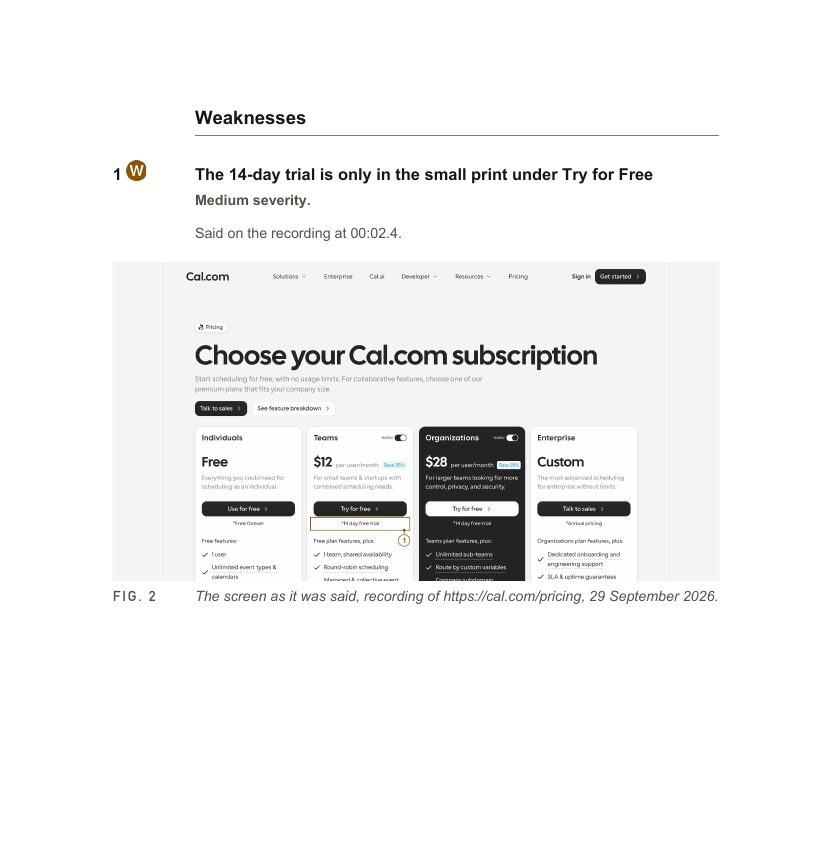
A research document you can send as it is. Findings run in the order you said them, each above its screenshot. Word and Google Docs both open it.
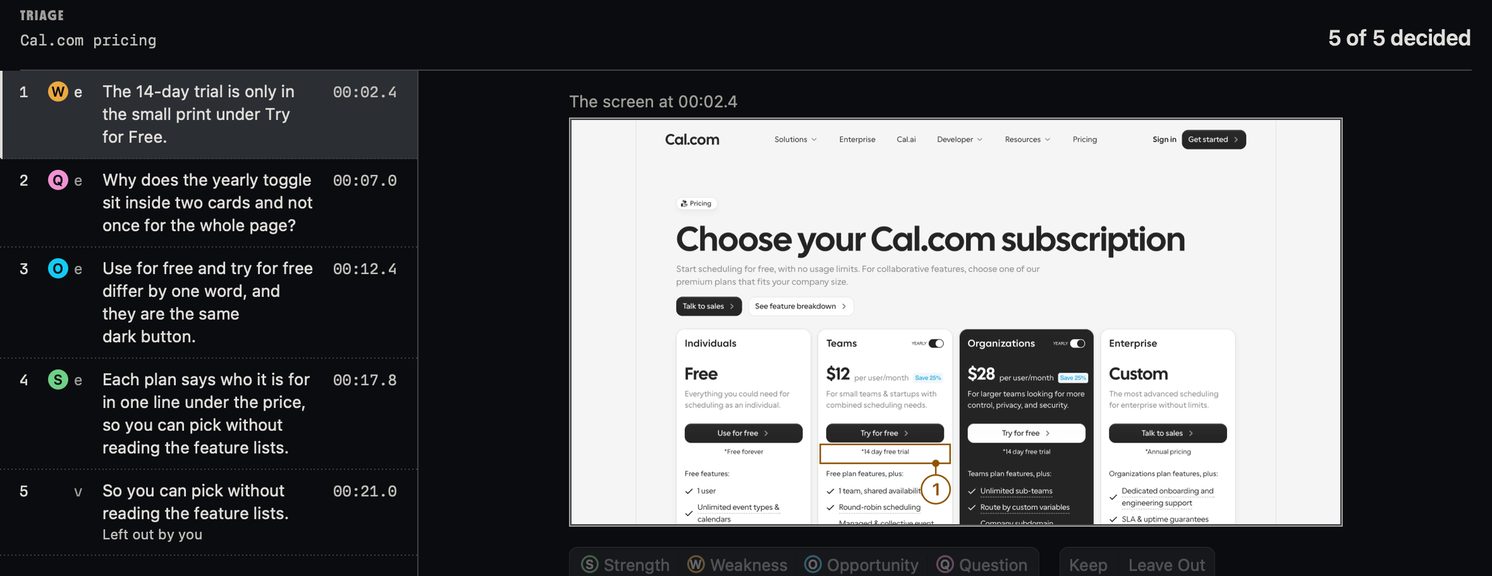
Before anything gets written up, you go through the notes one by one and keep the ones you meant.
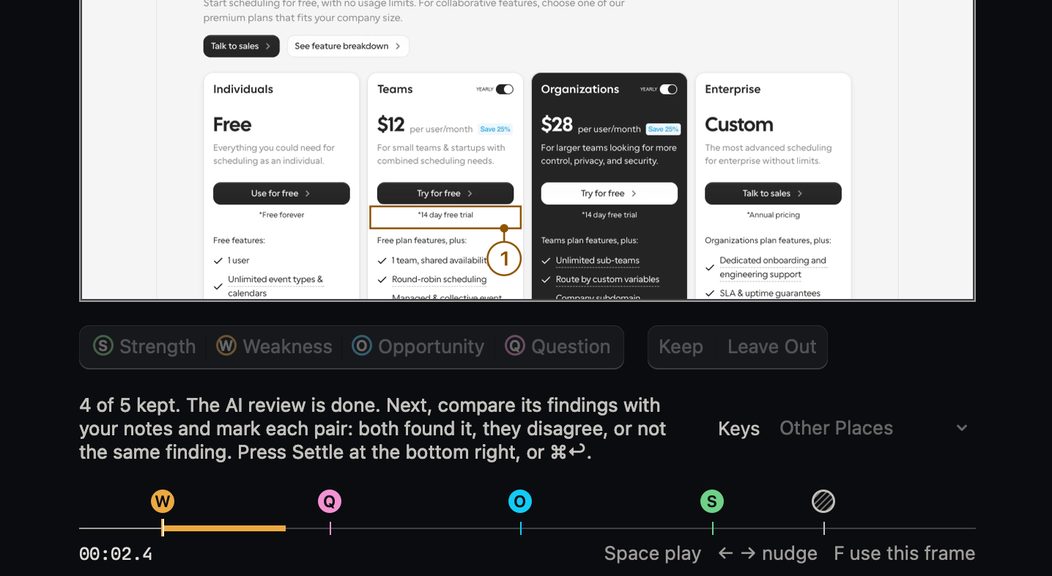
Every note links back to the second you said it, with your voice and the screen.
Press Start AI Review and an AI agent reads the page on its own, then writes its findings beside yours. Where you both caught the same thing, you mark it once. Where the agent caught something you walked past, you decide if it stays.
Sebastian, a product designer, made Callouts, and it comes out soon. Leave your email and he'll write once, when it does.
macOS 13 or later
You'll want Chrome, a Figma account for the board, and Claude Code for the AI review. Setup checks for the rest and gives you the command for anything missing.